
Table of Contents
Emails – If you’re having problems receiving email, but you can send an email, here are some possible common causes that will be explained in more depth below:
Over Email Quota
Every email address is assigned with a fixed data storage. So, you need to check if the data storage reached to its maximum limit. Because the error can arise if the size of disk space exceeds its limit.
But you can try two options for this, either you can change the quota limit of your email or clear the disk space to delete a few unnecessary emails. Either way, you will have free space access to your email account and maybe you start receiving new emails.
To view the disk space, tap the email icon in cPanel. To increase the size of the specified email quota, follow the steps discussed below
Step 1: Login to cPanel

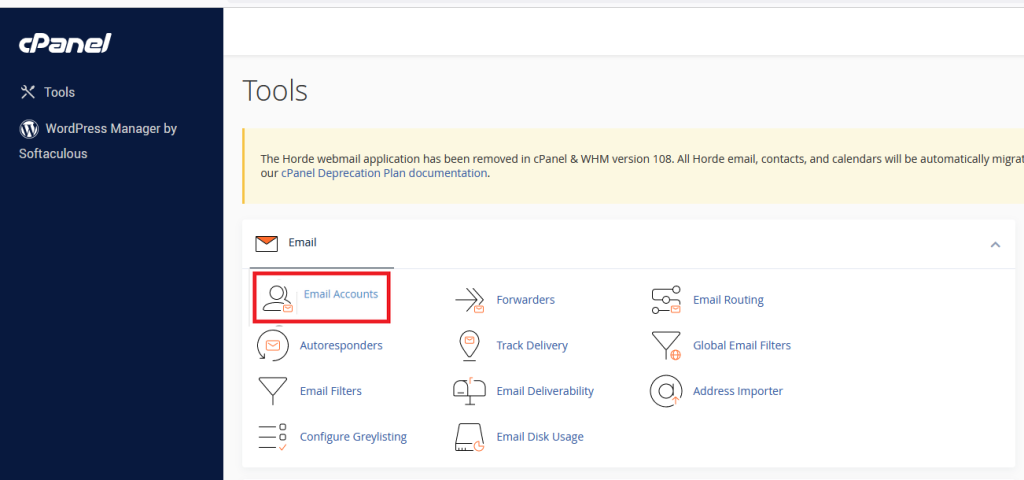
Step 2: Go to Email Accounts
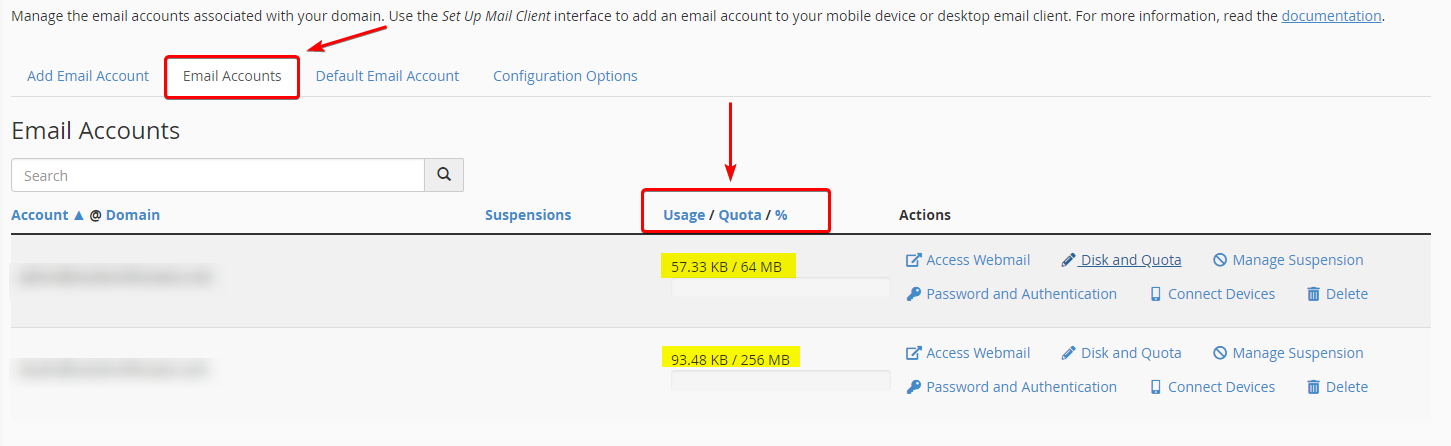
Step 3: Ensure Email Accounts are selected from the available tabs. From here, you can immediately review current emails and their current Usage or Quota.
Step 4: If the current storage is full, you can try either deleting emails or expanding the Disk and Quota by selecting it. You can expand the current limit or set it to unlimited. Select Save when done.
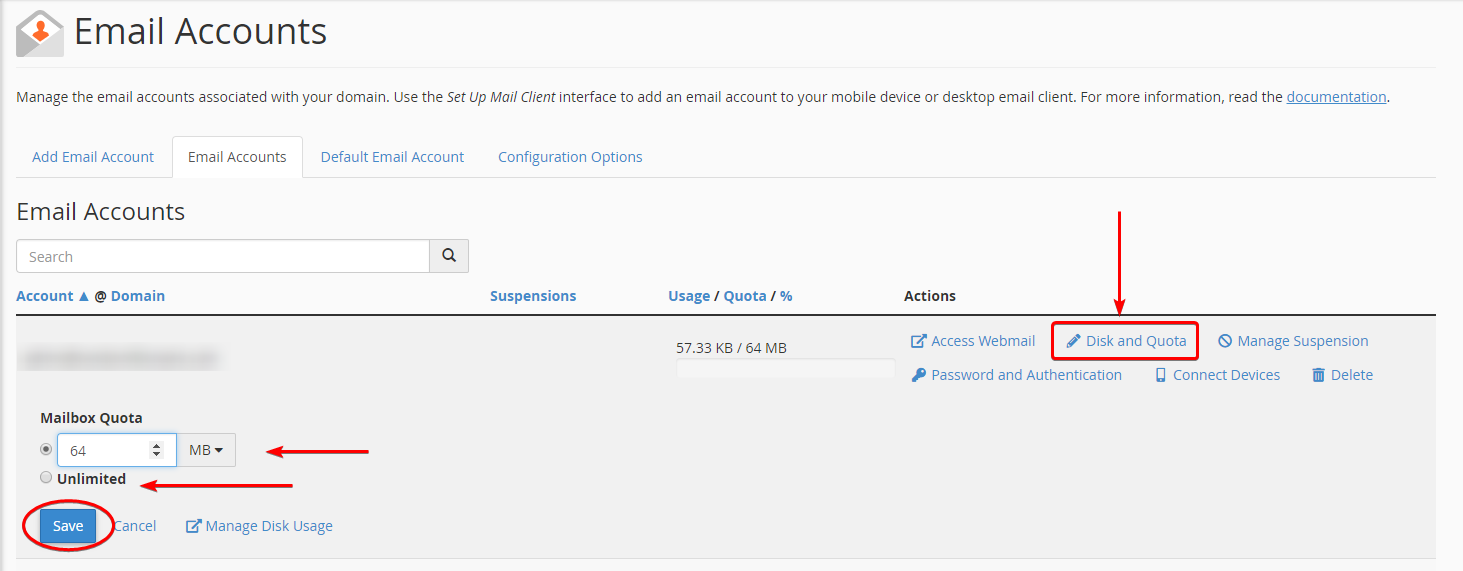
It’s worth noting. Unlimited is not advised unless you review and manage your emails daily, as this will greatly affect your inode limitation or storage capacity.
cPanel Quota
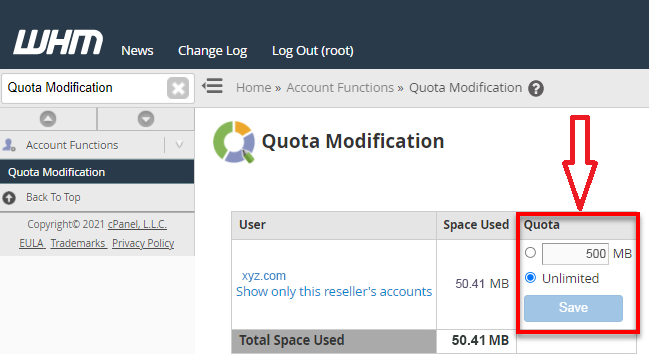
Another common reason for experiencing cPanel not receiving email errors may be that the entire cPanel has exceeded its specified limit. However, you can fix the process by increasing the allotted disk space.
To check and change the cPanel quota, refer to the following steps:
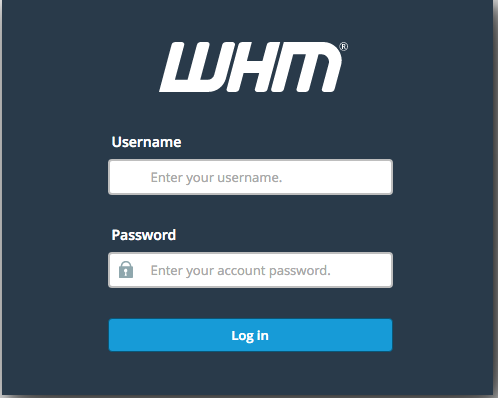
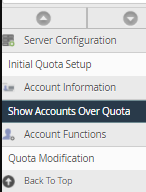
Go to the left-side menu, and navigate to the Account Information section.
Proceed with “Show Accounts over Quota”.
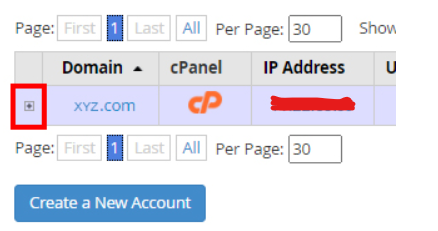
Here, you can adjust the account quota, also view the disk space used.
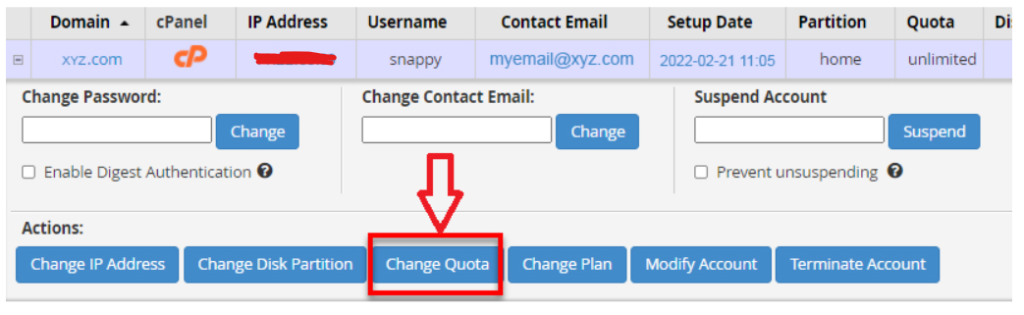
When all the changes are done, click on the Save button.
DNS Problems
It could be a problem with your DNS settings:
- Are your DNS zones set up correctly?
- Have you recently changed MX records? It normally takes about an hour to update, and they may not have fully changed over yet.
- Are your MX records and Email Routing correct?
You can use tools like What’s My DNS? to check records and ensure they are propagating and/or propagation correctly.
Mail Client Problems
Make sure your mail client is set up correctly. These settings will vary, depending on your client. You can find the instructions for many email clients in cPanel.
Step 1: Go to cPanel
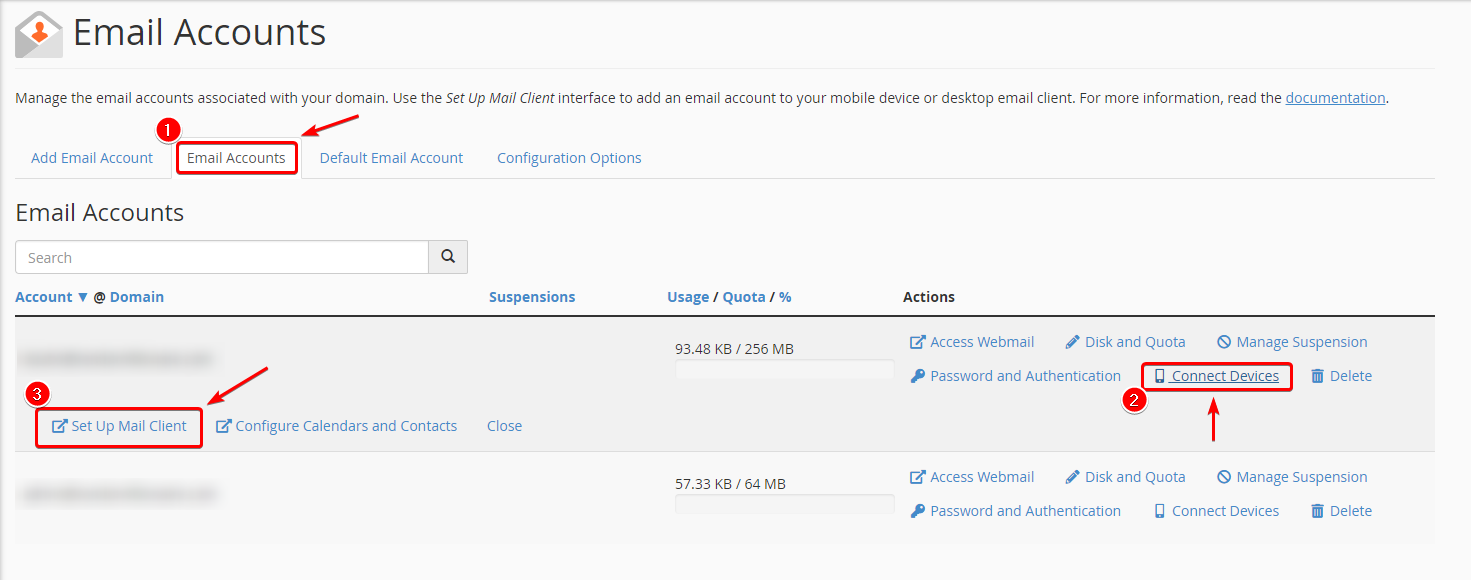
Step 2: In the Email section, select Email Accounts
Step 3: Ensure the Email Accounts tab is selected and choose Connected Devices from the available list under Actions. Choose Set Up Mail Client from the available drop-down.
Step 4: A new browser window will appear, providing your Mail Client Settings. You will want to ensure these are what is configured for any third-party mail clients.
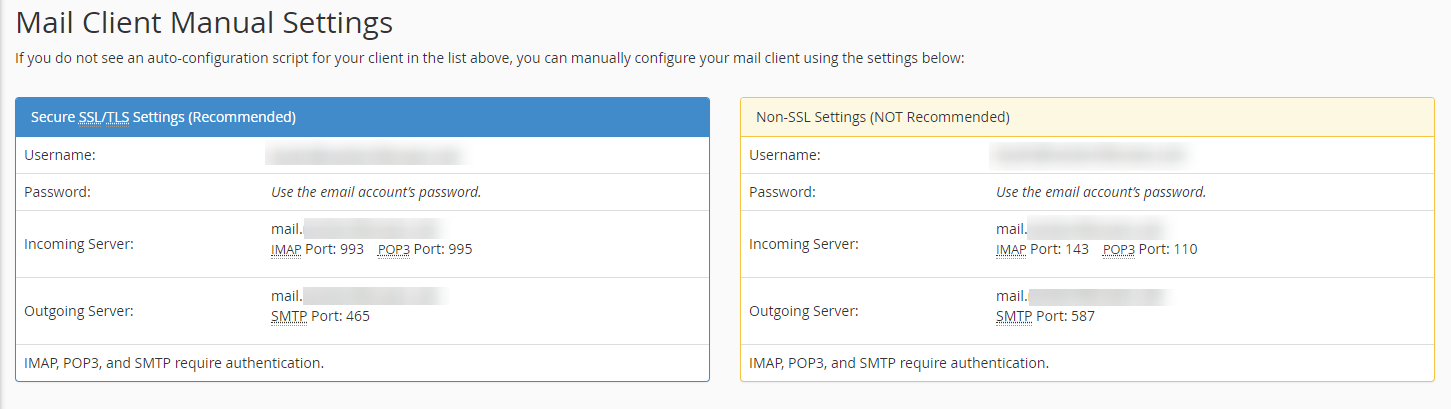
You will want to ensure the proper username, password, the incoming and outgoing server information is 100% correct. If there are any mistakes, like email password, your mail client will not work appropriately.
Alternative Reasons
Spam Assassin – If you have this enabled, check the SPAM folder to ensure they aren’t getting caught by the assassin. This can be found under your cPanel Email section, Spam Filters.

Authentication – You have DKIM and/or SPF enabled and/or not configured properly. You can check this in cPanel’s Authentication under the Email section.

Email Bounceback – In case you are still having problems receiving emails, then there are chances that people who are sending you emails are receiving bounceback emails. These emails will give you clarity on why a particular email address is unable to receive emails.
So, try sending the emails to your email address from a different email account to check if you receive a bounceback email. It can help you in analyzing where the fault lies.
MX Records – MX Records are the bridge between the Domain and Email Accounts. With the domain being active, you need to check if the MX Records are connected to the preferred host.
Mail Settings – Check the email settings after ensuring you are not having trouble there. Also, if you are using the same email hosting provider and website, then the mail server is Local. And, if you are using a different hosting provider, set the mail server to Remote.