
G Suite VS WebMail Server – To understand the difference between Webmail and G Suite, we first need to get familiar with their proper definition but before that with mail.
Table of Contents
What is Webmail?
Webmail is a cloud-based service or Web-based email system that allows you to access and use your email from almost anywhere through an internet connection. Unlike Thunderbird or Microsoft Outlook, it does not need software installation. It is a kind of service, which is provided by server provider
Especially, these kinds of server-based email systems are more popular for younger users. As with Microsoft Outlook, where emails are stored on-site in the hardware storage drive and logging into a connection with the server is needed to get email; so, in this situation, these services provide an appropriate option to email services.

For people who frequently away from their computers and use multiple devices, Webmail is a great solution for those people.
What is G Suite?
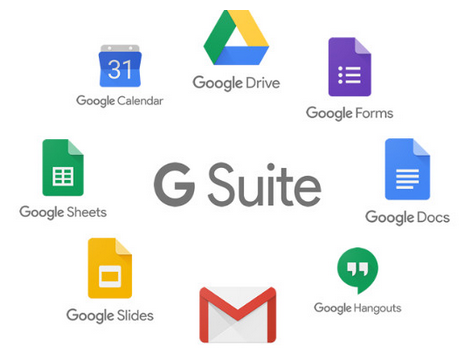
G Suite, currently rebranded as Google Workspace, is a cloud-based productivity and collaboration suite that includes a range of tools such as Gmail, Google Drive, Google Docs, Sheets, Slides, and Meet, as well as other tools such as Google Calendar, Google Chat, and Google Sites. G Suite was rebranded as Google Workspace in October 2020. The suite is designed to make it easier for teams to collaborate remotely, as it allows team members to access and work on files and documents from any device with an internet connection.
What’s Included in G Suite?
G Suite has a bunch of apps that are perfect for getting stuff done with your team. These are:
- Gmail is a free web-based email service developed by Google, offering users a number of features such as spam filtering, integration with Google Drive for file sharing, built-in Google search functionality, and the ability to organize emails using labels and filters.
- Google Drive is a cloud-based storage solution for files, documents, photos, and videos. Since everything is stored in Google Drive, it’s essential to ensure that the drive is secure.
- Google Docs is an online word processor that lets you create, edit, and share documents in real-time.
- Google Sheets is an online spreadsheet application that lets you create, edit, and share spreadsheets in real-time.
- Google Slides is an online presentation application that lets you create, edit, and share presentations in real-time
Now coming to the difference between Webmail and G-suite,
G Suite vs Webmail
| S.No | Point of Difference | Google Suite | Web-Mail Server |
| 1 | Security | G Suite Mail is extremely secure, only the super-admin has all these facilities to access the account. And, no need to give the super-admin password to anyone, once it is set up. | Whereas, in Webmail, everyone who has your website’s login details/c-panel (which probably your web developer/IT team will always have), can access all your confidential emails, also can leak out info & delete them from your database & thus there is no security. |
| 2 | Support | From both Google Side as well as Partner Side | Telephonic and Email Support from the service provider |
| 3 | Reliability | With G Suite you get guaranteed amazing up-time that is up to 99.99%. So, you don’t have a need to take the stress of your email or website going down. | In Webmail, there is no such thing, and there are always chances your email will go down if your website is down. |
| 4 | Space | 30 GB (Free) + Additional storage of up to 30 TB (Chargeable) for Business or Enterprise: Unlimited Storage for 5 users and Higher. | Depends on the service provider |
| 5 | Accessibility | In G Suite Mail, your default Gmail apps can be used in all your devices to access your email. | In the case of Webmail, it takes a lot of time whenever you want to configure it on a different device. |
| 6 | Privacy | In G Suite Mail, if you log in from a different system you’ll be texted a verification code. Plus it can be made optional. | In Webmail, no such privacy factor involved. |
| 7 | Admin Console + Security Features | Master Control Panel to create/delete email ids | Complete Control over the Domain and Users |
| 8 | Drive for Teams | NA | Yes |
| 9 | Spam Filter | Yes, availbale in control panel | Domain Black Listing, Email Blacklisting |